• hoorab naeem
    1 minute ago
    #rsisb
    roll no 211
    How to use streamyard for interviews?
    foundation level
    task no 9
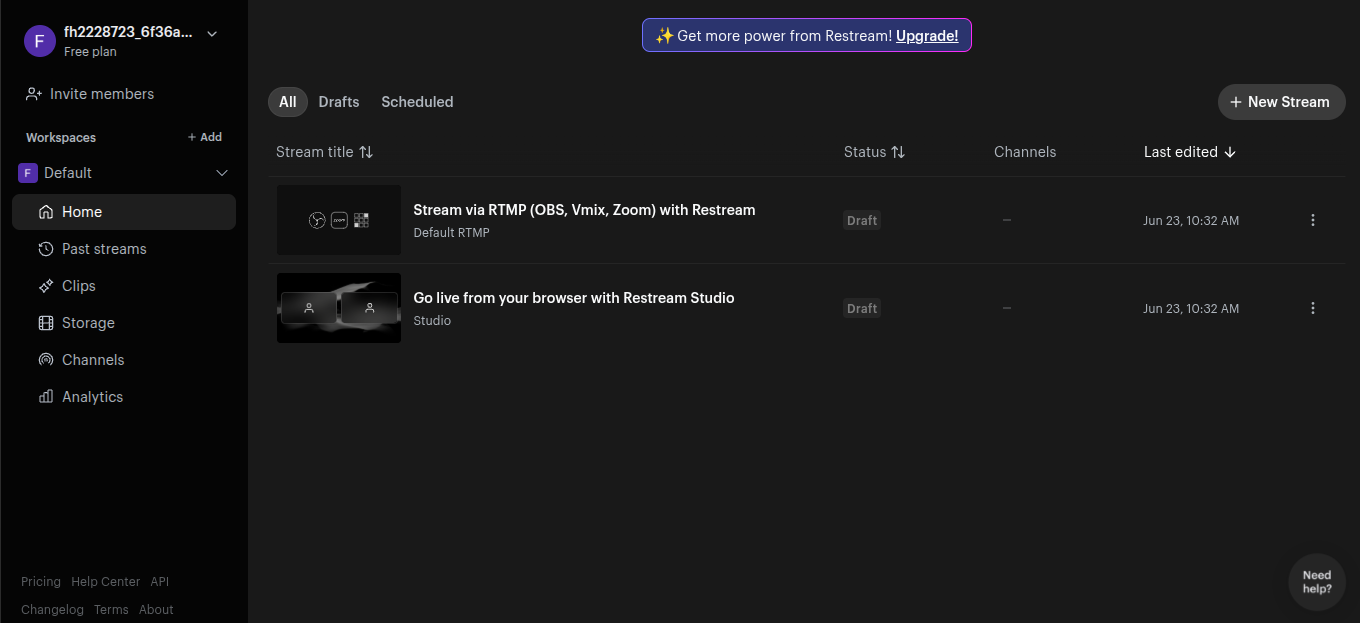
    If you want to conduct smooth and professional interviews online, StreamYard is a great tool to use
    Here’s a simple description you can use:

    How to Use StreamYard for Interviews
    StreamYard is an easy-to-use live streaming platform that allows you to host interviews, podcasts, and discussions directly from your browser—no downloads needed!
    First, sign up on StreamYard and connect your social media accounts like YouTube or Facebook. Then, create a broadcast and share the invite link with your guest.
    Once your guest joins, you can add them to the screen, customize layouts, and even display their names and comments on the live stream. You can also record the interview, add logos, banners, and backgrounds to make it look professional.
    Make sure you have a good internet connection, clear audio, and proper lighting for the best results.
    StreamYard is perfect for beginners and professionals who want to create engaging interviews without technical hassle!

    #StreamYard #OnlineInterviews #LiveStreaming #PodcastSetup #ContentCreation #YouTubeLive #FacebookLive #DigitalSkills
    hoorab naeem 1 minute ago #rsisb roll no 211 How to use streamyard for interviews? foundation level task no 9 If you want to conduct smooth and professional interviews online, StreamYard is a great tool to use 🎙️💻 Here’s a simple description you can use: 🎤 How to Use StreamYard for Interviews 🎥 StreamYard is an easy-to-use live streaming platform that allows you to host interviews, podcasts, and discussions directly from your browser—no downloads needed! 🌐 First, sign up on StreamYard and connect your social media accounts like YouTube or Facebook. Then, create a broadcast and share the invite link with your guest. 🤝 Once your guest joins, you can add them to the screen, customize layouts, and even display their names and comments on the live stream. 🎬✨ You can also record the interview, add logos, banners, and backgrounds to make it look professional. Make sure you have a good internet connection, clear audio, and proper lighting for the best results. 💡🎧 StreamYard is perfect for beginners and professionals who want to create engaging interviews without technical hassle! 🚀 #StreamYard #OnlineInterviews #LiveStreaming #PodcastSetup #ContentCreation #YouTubeLive #FacebookLive #DigitalSkills
    0 Комментарии 0 Поделились 753 Просмотры

  • #rsisb
    roll no 211
    How to Create a YouTube Account
    Creating a YouTube account is super easy and only takes a few minutes! All you need is a Google account, and you’re ready to explore, watch, and even upload your own videos.
    First, go to YouTube and click on the Sign In button at the top right. If you already have a Google account, just log in. If not, click on Create Account and follow the steps to set up your Gmail.
    Once you’re signed in, your YouTube account is automatically created! Now you can customize your profile, subscribe to your favorite channels, like videos, and even start your own YouTube channel. Don’t forget to add a profile picture and channel name to make it unique!
    Start your journey today and share your creativity with the world!
    #YouTube #CreateAccount #YouTubeTips #DigitalSkills #ContentCreator #StartToday #LearnOnline #TechGuide #SocialMedia #YouTubeChannel

    #rsisb roll no 211 How to Create a YouTube Account Creating a YouTube account is super easy and only takes a few minutes! 🎥✨ All you need is a Google account, and you’re ready to explore, watch, and even upload your own videos. 🚀 First, go to YouTube and click on the Sign In button at the top right. 🔐 If you already have a Google account, just log in. If not, click on Create Account and follow the steps to set up your Gmail. 📧 Once you’re signed in, your YouTube account is automatically created! 🎉 Now you can customize your profile, subscribe to your favorite channels, like videos, and even start your own YouTube channel. 🌟 Don’t forget to add a profile picture and channel name to make it unique! 😎 Start your journey today and share your creativity with the world! 🌍🎬 #YouTube #CreateAccount #YouTubeTips #DigitalSkills #ContentCreator #StartToday #LearnOnline #TechGuide #SocialMedia #YouTubeChannel 🚀📱
    0 Комментарии 0 Поделились 969 Просмотры
  • #rsisb
    roll no 211
    How to Create a Gmail Account
    **How to Create a Gmail Account – Step-by-Step Guide**

    Creating a Gmail account is one of the first steps to entering the digital world . With a Gmail account, you can send emails, use Google Drive, watch YouTube, and access many more services easily. Here’s a simple and complete guide to help you get started

    **Step 1: Visit the Gmail Website**
    Open your browser and go to the Gmail sign-up page. Click on **“Create Account”** to begin.

    **Step 2: Choose Account Type**
    Select **“For myself”** if you are creating a personal account. You can also choose options for business if needed.

    **Step 3: Enter Your Personal Details**
    Fill in your **first name, last name**, and choose a unique **username** (this will be your email address). Create a **strong password** to keep your account secure

    **Step 4: Add Phone Number & Recovery Info**
    Enter your phone number for verification. You can also add a recovery email to help recover your account if you forget your password.

    **Step 5: Verify Your Account**
    You will receive a code on your phone. Enter the code to confirm your identity and activate your account.

    **Step 6: Complete Your Profile**
    Add your **date of birth** and **gender**. This helps personalize your experience.

    **Step 7: Agree to Terms & Conditions**
    Read Google’s privacy policy and terms, then click **“I Agree”** to continue.

    **Congratulations! Your Gmail account is ready to use!**
    Now you can send emails , connect with people , store files , and explore all Google services easily.

    **Tip:** Always keep your password safe and don’t share it with anyone for better security

    #Gmail #CreateGmail #GoogleAccount #EmailSetup #TechGuide #StepByStep #DigitalSkills #LearnTech
    #rsisb roll no 211 How to Create a Gmail Account 📧✨ **How to Create a Gmail Account – Step-by-Step Guide** ✨📧 Creating a Gmail account is one of the first steps to entering the digital world 🌍💻. With a Gmail account, you can send emails, use Google Drive, watch YouTube, and access many more services easily. Here’s a simple and complete guide to help you get started 🚀 🔹 **Step 1: Visit the Gmail Website** 🌐 Open your browser and go to the Gmail sign-up page. Click on **“Create Account”** to begin. 🔹 **Step 2: Choose Account Type** 👤 Select **“For myself”** if you are creating a personal account. You can also choose options for business if needed. 🔹 **Step 3: Enter Your Personal Details** 📝 Fill in your **first name, last name**, and choose a unique **username** (this will be your email address). Create a **strong password** to keep your account secure 🔐 🔹 **Step 4: Add Phone Number & Recovery Info** 📱 Enter your phone number for verification. You can also add a recovery email to help recover your account if you forget your password. 🔹 **Step 5: Verify Your Account** ✔️ You will receive a code on your phone. Enter the code to confirm your identity and activate your account. 🔹 **Step 6: Complete Your Profile** 🎂 Add your **date of birth** and **gender**. This helps personalize your experience. 🔹 **Step 7: Agree to Terms & Conditions** 📜 Read Google’s privacy policy and terms, then click **“I Agree”** to continue. 🎉 **Congratulations! Your Gmail account is ready to use!** Now you can send emails 📩, connect with people 🤝, store files ☁️, and explore all Google services easily. 💡 **Tip:** Always keep your password safe and don’t share it with anyone for better security 🔒 #Gmail #CreateGmail #GoogleAccount #EmailSetup #TechGuide #StepByStep #DigitalSkills #LearnTech 🚀📧✨
    0 Комментарии 0 Поделились 1476 Просмотры
  • rsf8
    roll number:50
    call Annie:04

    https://www.youtube.com/live/2Hf-G39LpOM?si=yIp8RX47lkDwxBLf
    rsf8 roll number:50 call Annie:04 https://www.youtube.com/live/2Hf-G39LpOM?si=yIp8RX47lkDwxBLf
    0 Комментарии 0 Поделились 230 Просмотры
  • rsf8
    roll number:50
    call Annie:03

    https://www.youtube.com/live/tqBdizUO-Xw?si=F2yUOgtqWV-t8r0e
    rsf8 roll number:50 call Annie:03 https://www.youtube.com/live/tqBdizUO-Xw?si=F2yUOgtqWV-t8r0e
    0 Комментарии 0 Поделились 242 Просмотры
  • rsf8
    roll number:50
    call Annie :02

    https://www.youtube.com/live/ad5Lqqj1bRU?si=vAtX_oe1eMO7S3dK
    rsf8 roll number:50 call Annie :02 https://www.youtube.com/live/ad5Lqqj1bRU?si=vAtX_oe1eMO7S3dK
    0 Комментарии 0 Поделились 224 Просмотры
  • rsf8
    roll number:50
    call annie:01

    https://www.youtube.com/live/yPlvj3tJeA8?si=pP7ulosmQrbtrTxI
    rsf8 roll number:50 call annie:01 https://www.youtube.com/live/yPlvj3tJeA8?si=pP7ulosmQrbtrTxI
    0 Комментарии 0 Поделились 248 Просмотры